1. Photograph the evidence
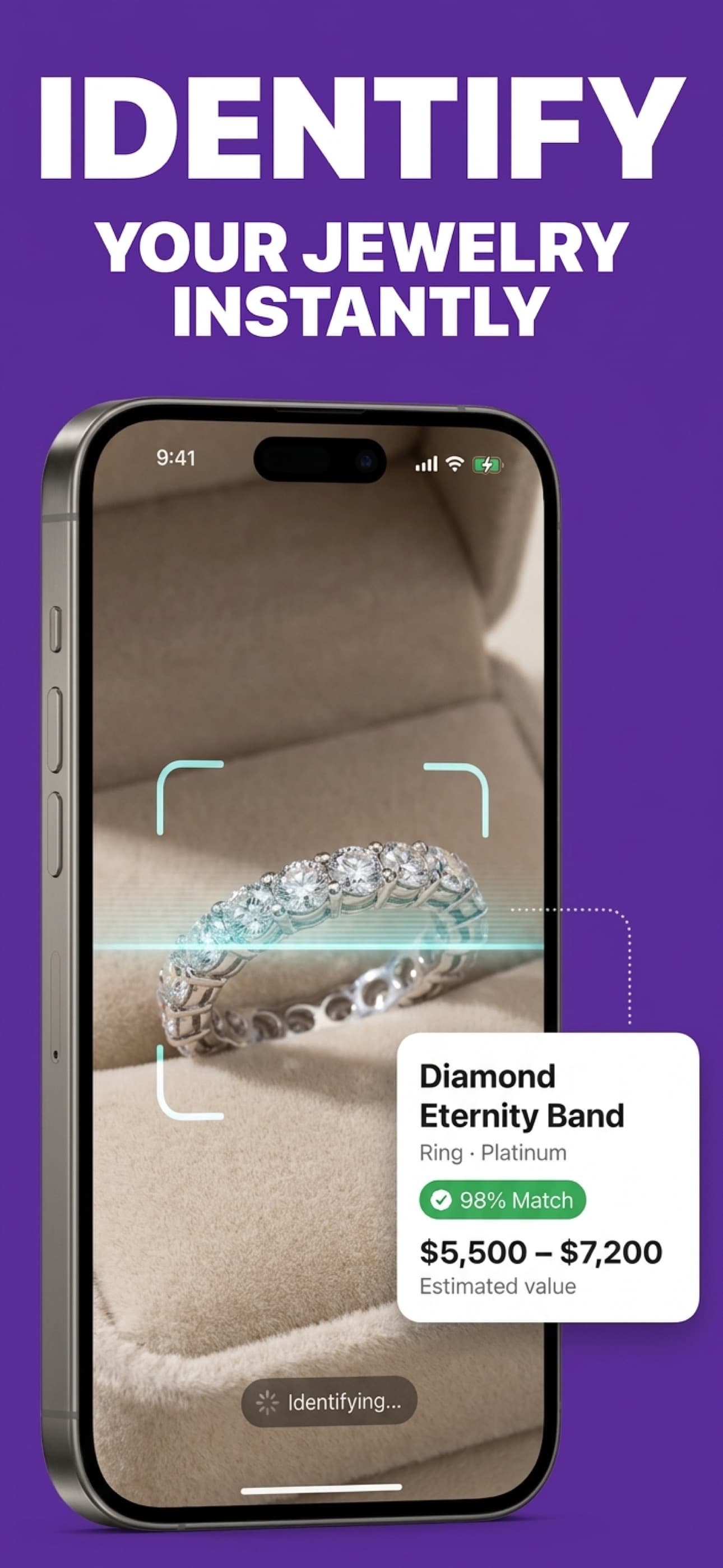
Capture the full piece, setting, clasp, back, and any hallmark. The web preview accepts one photo; the app supports multiple angles.
Evidence-led jewelry photo analysis
Photograph your piece to get a first-pass identification, hallmark and style clues, care guidance, and an estimated value range. Confirm high-value pieces with a qualified professional.
4.7★ from 269 ratings · US App Store · checked Aug 4, 2026
Visual estimate, not authentication
The report separates visible evidence from what requires physical testing.
Inherited jewelry is a common reason people start
Know what to document, test, keep, appraise, or sell.
How it works
The goal is not fake certainty. It is to turn visible clues into a better research, care, selling, or appraisal decision.
Capture the full piece, setting, clasp, back, and any hallmark. The web preview accepts one photo; the app supports multiple angles.
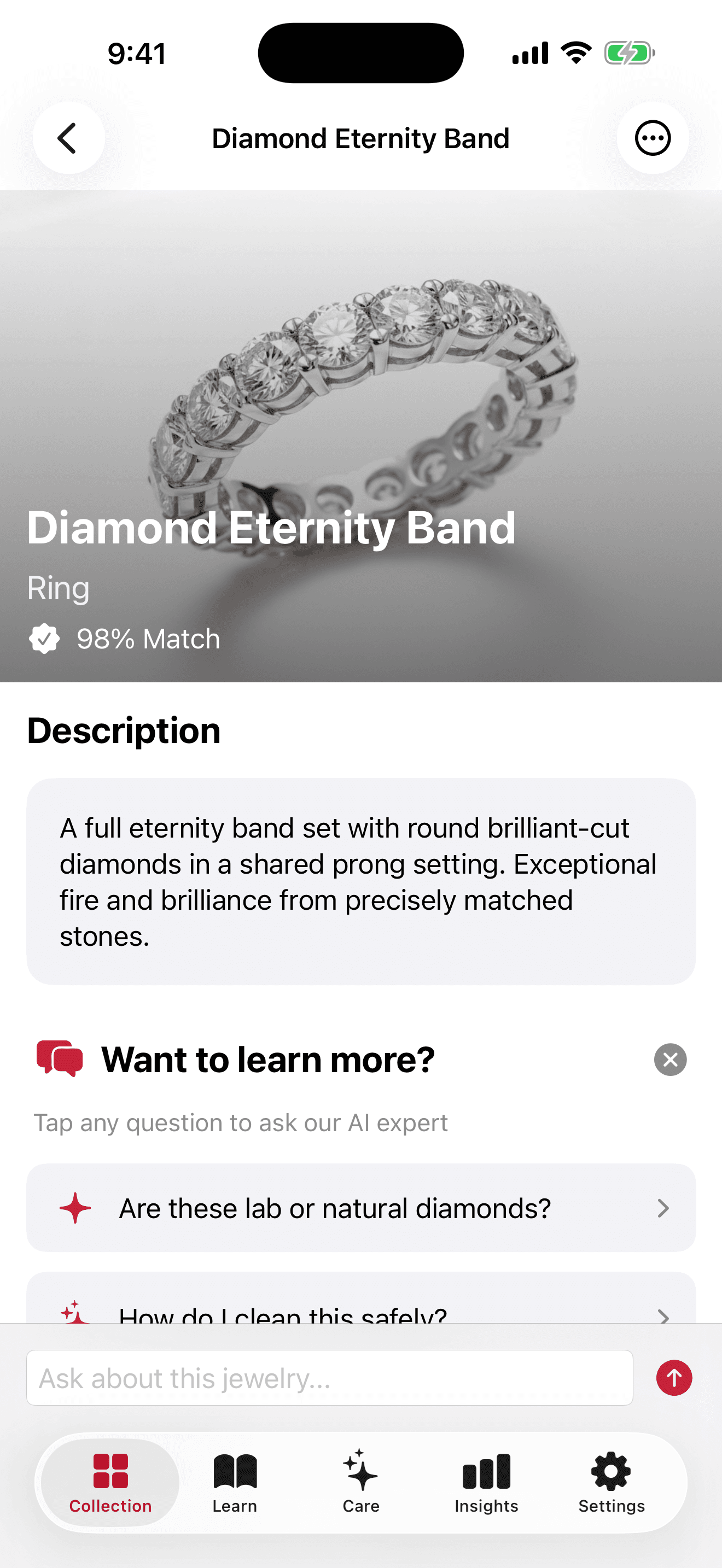
See likely materials, gemstones, style, period, condition, and the observations behind the result.
Save the report, improve the scan, care for the piece, or bring the right questions to a jeweler or appraiser.
Real app workflow
Identify, understand the estimate, organize pieces, ask follow-up questions, and keep care reminders in one place.
Analyze several angles
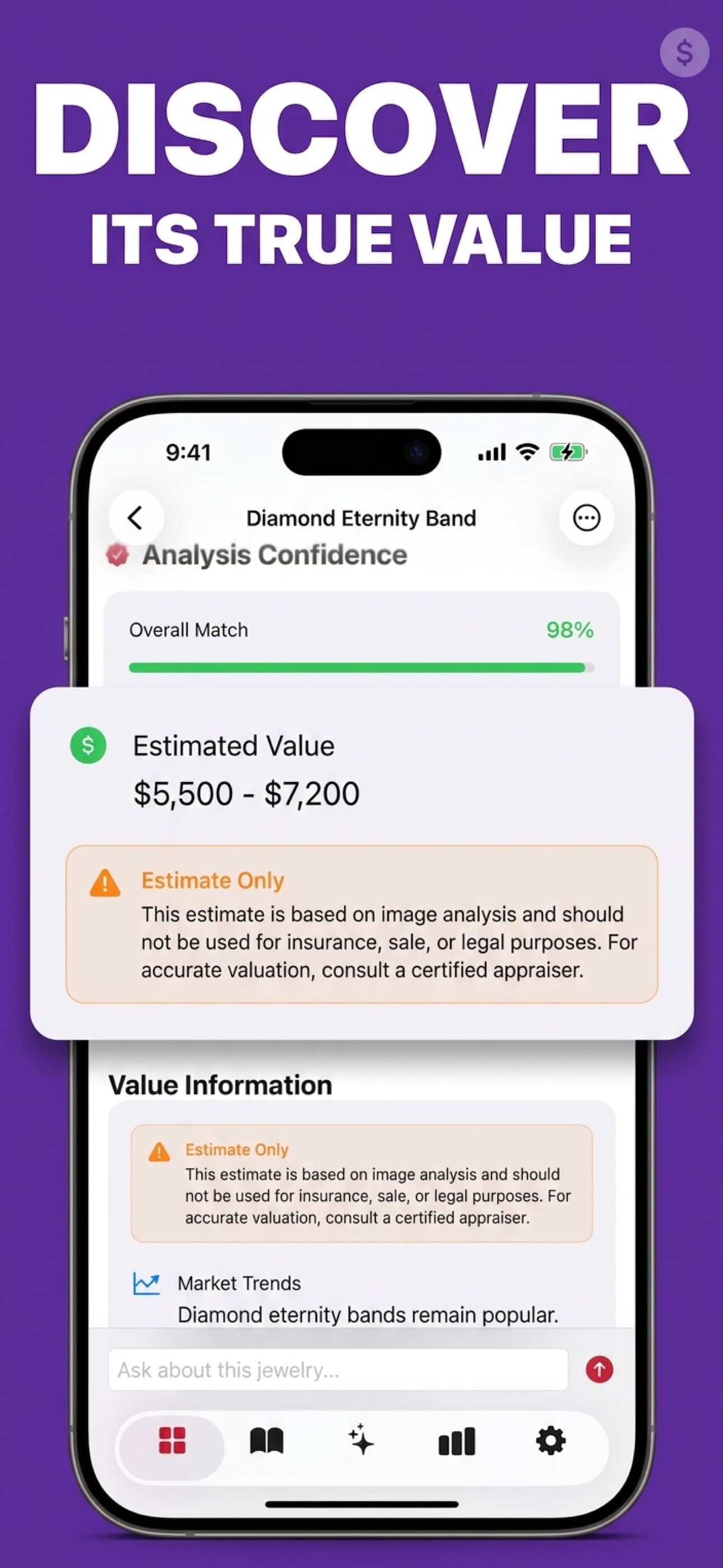
Understand the estimate
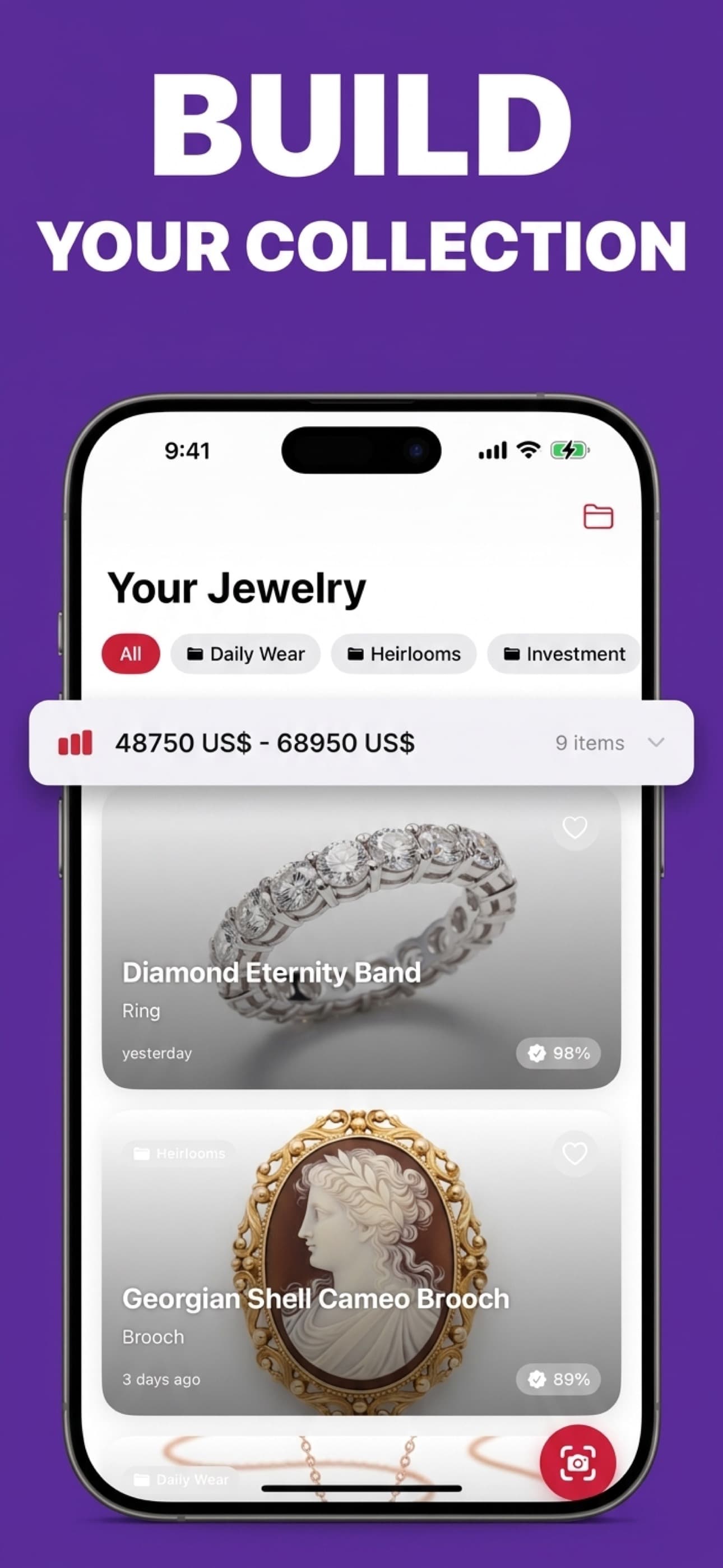
Save every piece
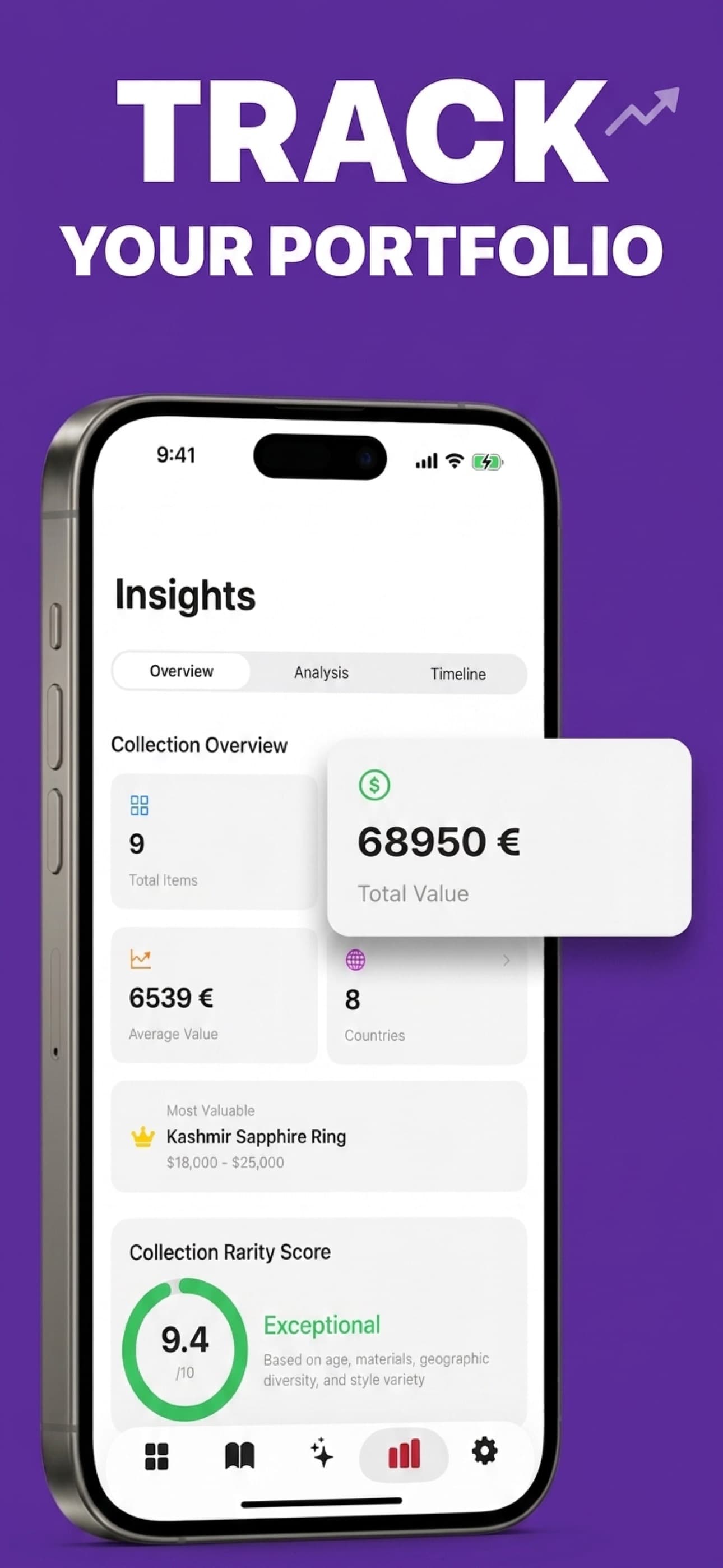
See the collection together
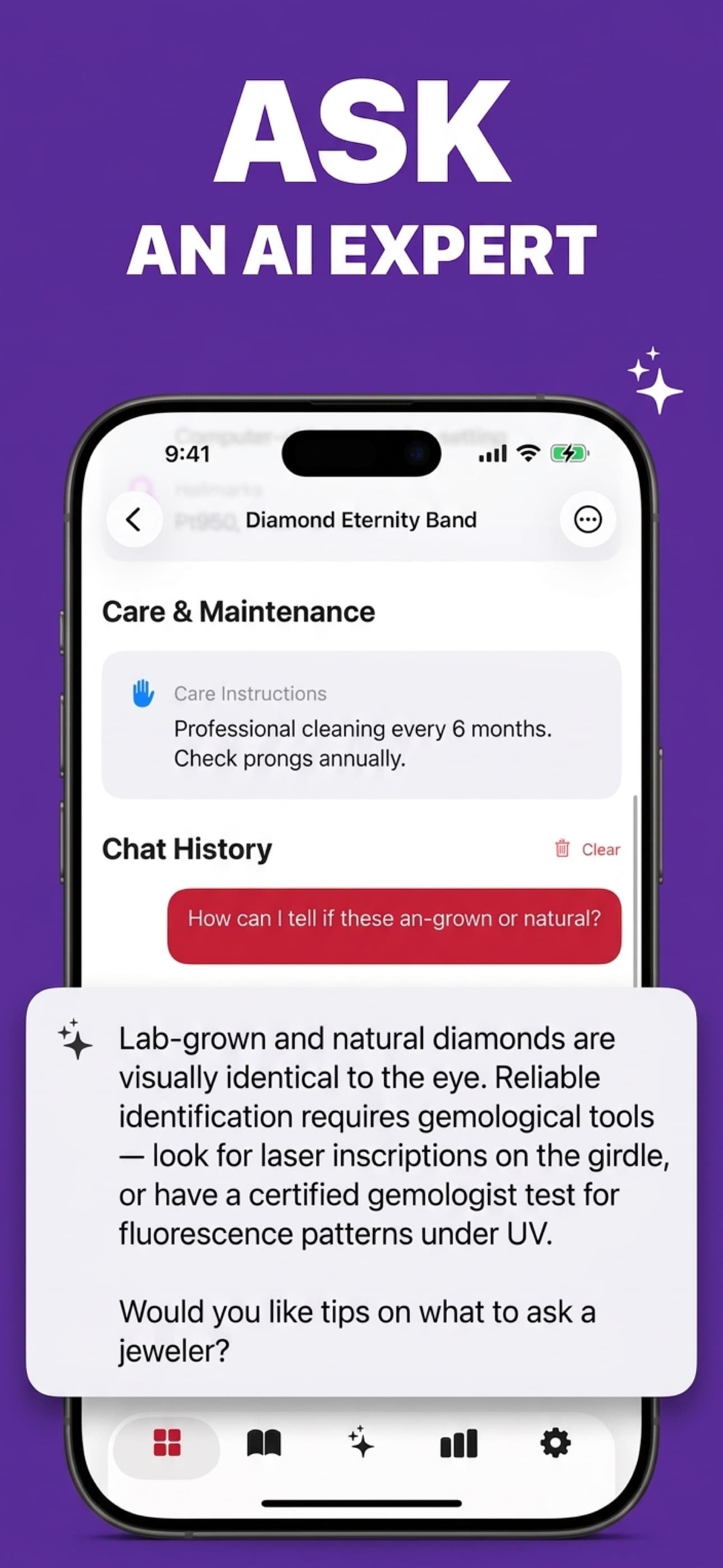
Ask item-specific questions
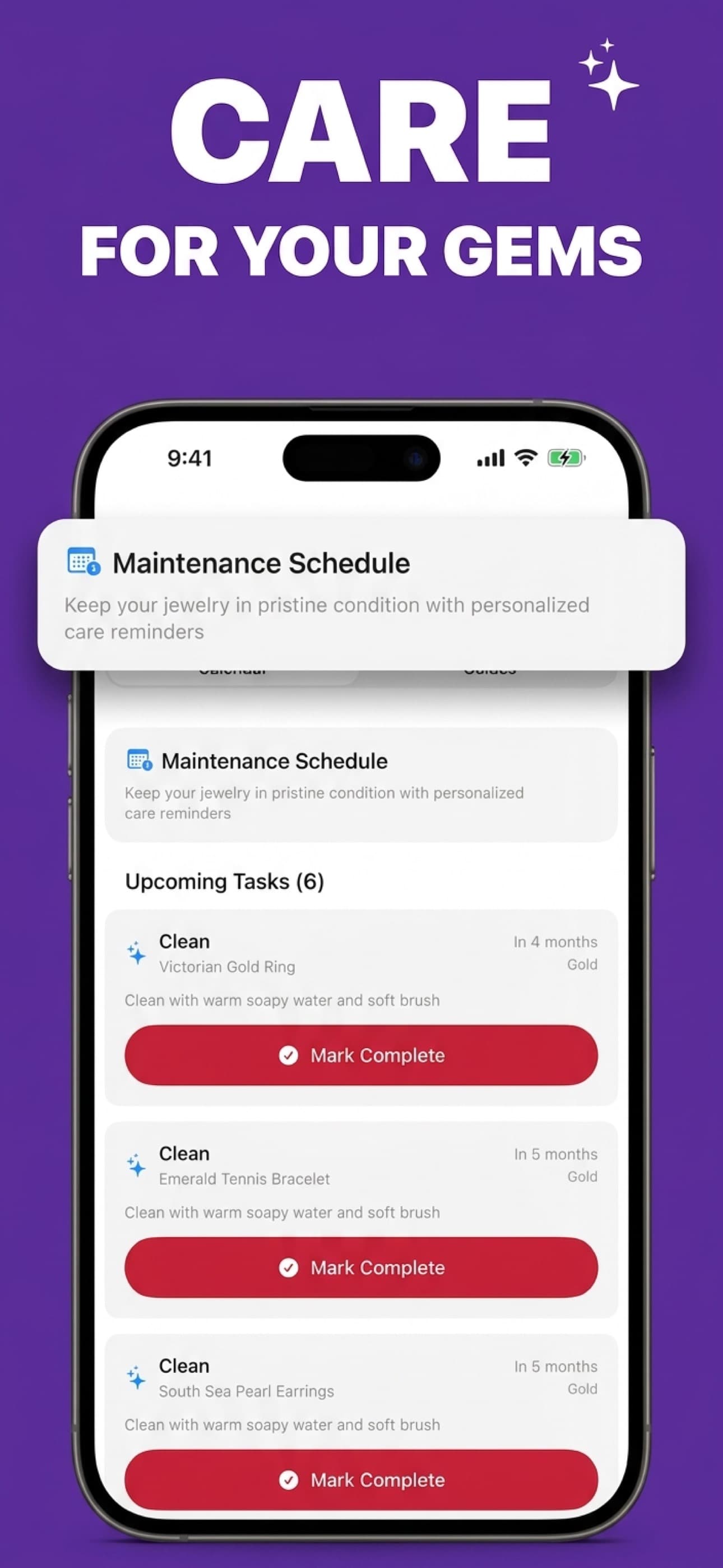
Keep maintenance organized
A photograph cannot prove natural versus synthetic stones, treatments, exact purity, weight, provenance, or hidden damage. It also cannot establish insurance replacement value or guarantee a selling price.
Search by real task
Try the limited web preview and learn how to photograph a piece.
Understand marks such as 925, 585, 750, GP, GF, and PT950.
Separate visual estimates from resale and professional appraisal.
A practical workflow before cleaning, selling, or discarding anything.
82 source-backed guides across gemstones, metals, styles, care, and identification.
Browse the knowledge libraryApp Store reviews
“This is the best jewelry ID app I’ve found. As a male dealer, my knowledge of what jewelry styles are called or names of gem cuts is poor, and providing that description based on photos is the key value I get out of the app.”
GWU in SF
Dealer · US App Store
“Very well said. And it is extremely accurate and detailed about the rings.”
I like spaceflightsimulater
US App Store
“This app is amazing for identifying and appraising jewelry.”
MrKnowTroubleMaker
US App Store
Review excerpts shown with their original star ratings. View the current App Store listing. Snapshot checked Aug 4, 2026.
Straight answers
It can provide a first-pass identification, likely materials and gemstones, visible hallmark clues, style or period suggestions, condition observations, care guidance, and a broad estimated value range when the images provide enough evidence.
No. Photo analysis cannot confirm gemstone treatments, exact metal composition, weight, provenance, or hidden damage. Jewelry Identifier is a research and triage tool; use a qualified gemologist or appraiser for high-value decisions.
Use bright indirect light, fill the frame with one piece, avoid digital zoom, and photograph multiple angles in the iPhone app. Add a close-up of any hallmark, clasp, setting, or maker’s mark.
Yes. The website provides a limited one-photo preview with bot and usage limits. The iPhone app adds multi-angle scans, saved collections, follow-up questions, care tools, and rescanning.
The web preview processes the image in server memory and does not write the photo or result to Jewelry Identifier storage. The image is sent to our AI processor for analysis under the processor’s data-handling terms. See the Privacy Policy for details.

Try a limited photo preview on the web, or use the iPhone app for multiple angles, saved reports, collections, care, and follow-up questions.